Audio sorter · Windows
CRATE
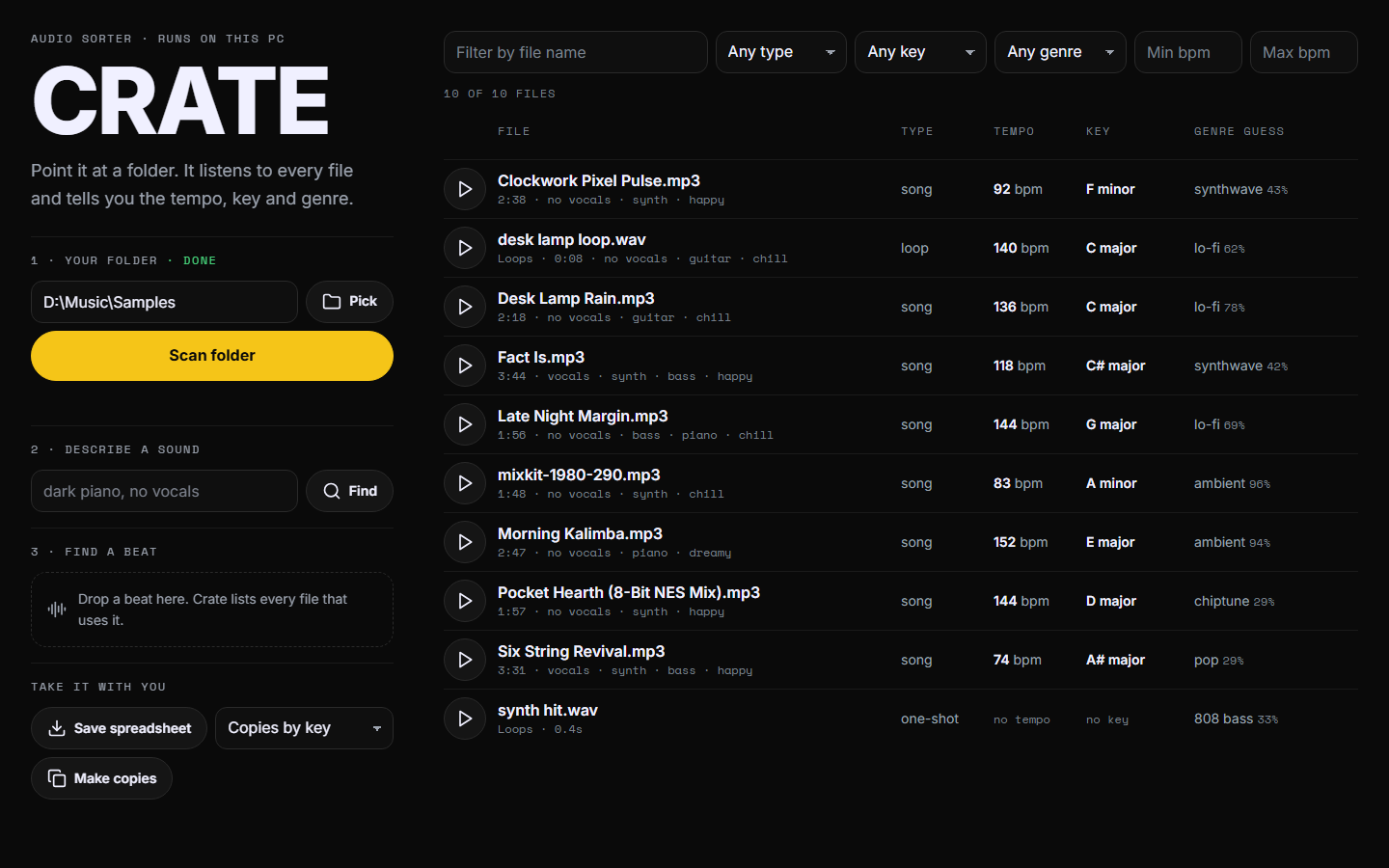
Point it at a folder. It listens to every file and tells you the tempo, key and genre.
Download Crate InstallerOne file · no Python needed · your files never leave your PC
Sort
Every file gets a tempo, key and genre
Songs, loops and one-shots in the same scan. Filter the list, play a file, save a spreadsheet, or make copies sorted into folders by key, genre or tempo.
Describe
Type what you want to hear
Try dark piano, no vocals. Crate lists the files that fit, closest first.
Find a beat
Drop in a beat
Crate lists every file in the folder that uses that same recording, and the second where it starts.
One install
- Open Crate Installer. If Windows says "Windows protected your PC", choose More info, then Run anyway.
- Press Install Crate. It brings everything it needs. It downloads about 1.6 GB and takes 5 to 15 minutes.
- Open Crate from your desktop. Pick your folder and press Scan folder.
Crate updates itself: when a new version is out, an Update Crate button shows up inside it. Got Crate before November 15? Run the installer once more.
Know before you scan
- Tempo can read as half or double time.
- Key is a best guess. A miss is usually the relative key.
- Genre is one of the 15 main genres record stores use. Pick one to see sure matches in green and maybes in yellow. When Crate is sure, it was right about 9 times in 10 on songs with a known genre.
- Beat search needs the same recording at the same speed and pitch.
- A scan takes about 9 seconds a file the first time. After that it only listens to new files.
- Your original files are never moved, renamed or changed.