Audio sorter · Windows
CRATE
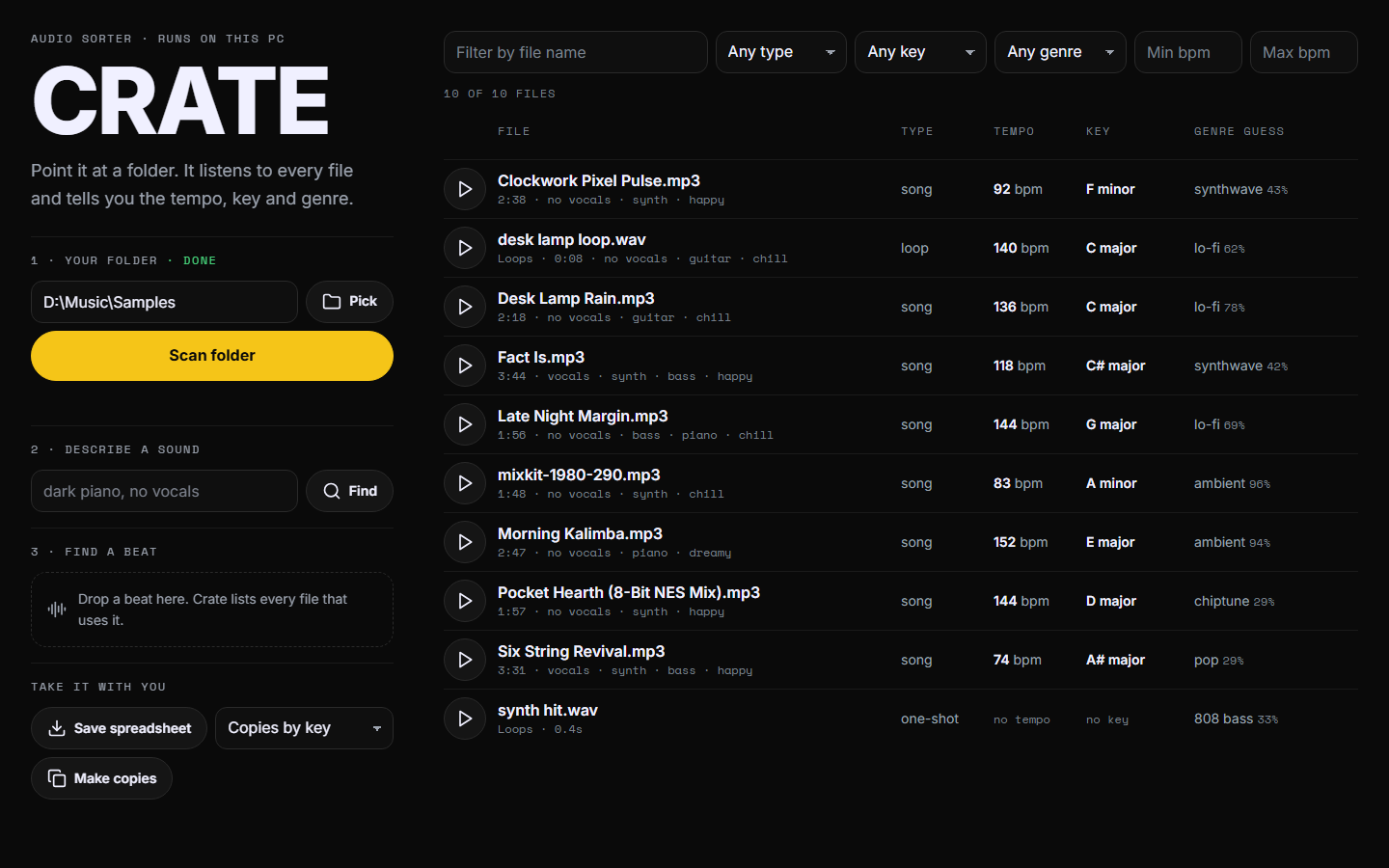
Point it at a folder. It listens to every file and tells you the tempo, key and genre.
Download for WindowsRuns on your PC · your files never leave it
Sort
Every file gets a tempo, key and genre
Songs, loops and one-shots in the same scan. Filter the list, play a file, save a spreadsheet, or make copies sorted into folders by key, genre or tempo.
Describe
Type what you want to hear
Try dark piano, no vocals. Crate lists the files that fit, closest first.
Find a beat
Drop in a beat
Crate lists every file in the folder that uses that same recording, and the second where it starts.
Set it up once
- Unzip the download. Put the Crate folder anywhere.
- Open
setup.bat. It installs what Crate needs. You need Python first, with "Add python.exe to PATH" ticked. If Windows asks whether you trust the file, choose More info, then Run anyway. - Open
crate.bat. Pick your folder and press Scan folder. The first scan downloads the listening model, about 780 MB.
Know before you scan
- Tempo can read as half or double time.
- Key is a best guess. A miss is usually the relative key.
- Genre is a model's guess. It is good at broad styles and loose on fine ones.
- Beat search needs the same recording at the same speed and pitch.
- A scan takes about 9 seconds a file the first time. After that it only listens to new files.
- Your original files are never moved, renamed or changed.